Game Explorer
Overview
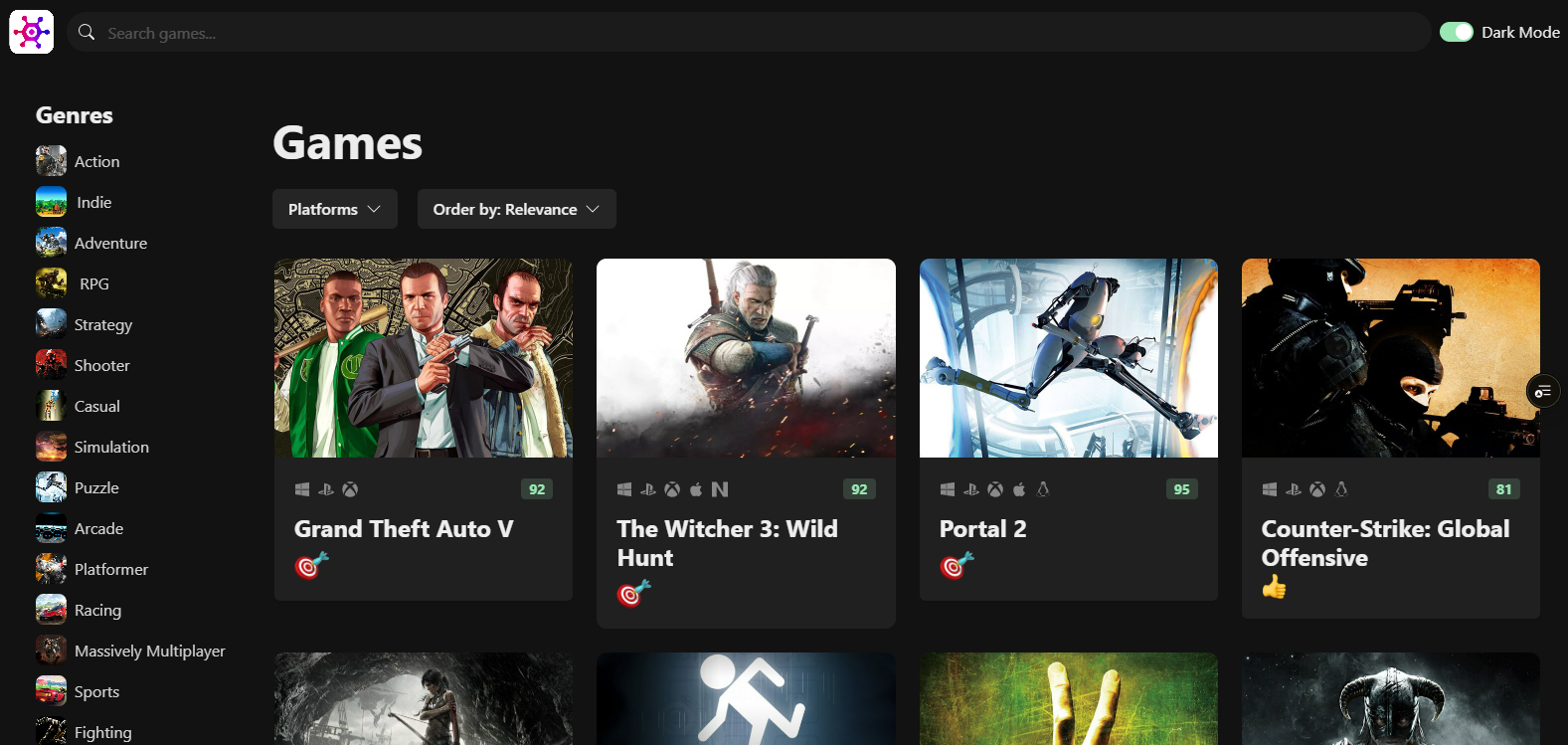
Game Explorer is a responsive web application for discovering and exploring video games. It pulls live data from the RAWG.io API — one of the largest game databases available — to let users browse thousands of titles, filter by genre or platform, and dive into detailed game pages complete with trailers and screenshots.
💡 The Challenge
Building a performant browsing experience over a large dataset requires thoughtful data fetching, caching, and UI state management. The goal was to keep the interface fast and responsive while supporting filtering, searching, infinite scrolling, and navigation between a list view and individual game detail pages.
🛠️ The Solution
The app is built with a clean separation of concerns across services, hooks, and components:
- React Query: Handles all server state — caching API responses for 24 hours to avoid redundant network calls, and powering infinite scroll via
useInfiniteQuery. - Zustand: Manages client-side query state (selected genre, platform, sort order, search text) in a single lightweight store, making it easy to sync filters across components.
- React Router v6: Enables seamless navigation between the home (game grid) and individual game detail pages via slug-based URLs (
/games/:slug). - Chakra UI: Provides accessible, themeable UI components with built-in dark mode support via
ColorModeScript. - Static Seed Data: Genres and platforms are pre-loaded from local data files as
initialData, so the sidebar renders instantly without waiting for an API response.
Key Features
- Infinite Scroll: Games load progressively as the user scrolls using
react-infinite-scroll-component. - Smart Search: Searching resets other filters and navigates back to the home page for a clean UX.
- Cropped Thumbnails: Game images are served at an optimized
600x400crop via a URL transform utility, keeping the grid visually consistent. - Skeleton Loading: Card skeletons are shown during initial load to prevent layout shift.
- Expandable Descriptions: Long game descriptions are truncated with a "Read More" toggle on the detail page.
- Emoji Ratings: A subtle emoji (meh / thumbs up / bulls-eye) communicates the community rating at a glance on each game card.
Conclusion
Game Explorer demonstrates how modern React tooling — React Query for server state, Zustand for client state, and React Router for navigation — can be combined cleanly to build a data-rich, performant browsing experience with minimal boilerplate.
Tech Stack
Key Features
- Infinite Scroll Browsing
- Search by Title
- Filter by Genre & Platform
- Sort by Relevance / Rating / Release
- Game Detail Pages
- Trailers & Screenshots
- Dark Mode
- Responsive Design